

You right-click a file, hit delete, and empty the Recycle Bin. It is gone, right? Not exactly. Understanding where deleted files actually go is important for anyone concerned about data recovery, privacy, or regulatory compliance. Whether you are trying to recover an accidentally erased document or ensure that sensitive business data is truly destroyed, the answer depends on the type of storage, the operating system, and the steps you take after deletion.
What Actually Happens When You Delete a File
When you delete a file on a Windows, macOS, or Linux system, the operating system does not erase the data itself. Instead, it removes the pointer, the reference in the file system’s index that tells the operating system where the file’s data is physically stored on the disk. The actual ones and zeros remain exactly where they were. The space is simply marked as “available” for new data to be written over it.
Think of it like removing a book’s entry from a library catalog. The book is still sitting on the shelf. It just becomes invisible to anyone using the catalog to find it. Until something else is placed in that exact spot, the original content remains intact and recoverable.
The Recycle Bin (Windows) or Trash (macOS) adds one more layer of safety before even this happens. When you delete a file normally, it moves to this holding area, and the file system pointers are still fully intact. Only when you empty the Recycle Bin does the pointer removal actually occur. This is why restoring from the Recycle Bin is instant. The file never actually moved. The system just updated its index.
How Deleted Files Recovery Works
Because deletion only removes the index entry, recovery software can scan the raw disk surface for data that still exists in sectors marked as available. Tools like Recuva, PhotoRec, and R-Studio are designed to do exactly this. They read the drive sector by sector, identify recognizable file structures (headers, footers, and metadata patterns), and reconstruct files that the operating system no longer knows about.
The success rate depends on how much time has passed and how heavily the drive has been used since the deletion. On a lightly used drive, deleted files can be recoverable for weeks or even months. On a nearly full drive with constant write activity, the original data may be overwritten within hours.
Professional data recovery goes further. Forensic specialists use hardware tools to read drives at a level below the operating system, recovering data even from drives with corrupted file systems, physical damage, or intentional formatting. This is how law enforcement recovers evidence from devices that suspects believed they had wiped, and it is how businesses recover critical data after accidental deletion or hardware failure.
If your business does not have a reliable backup system in place, file recovery becomes your last resort, and it is not always successful. Digital Checkmark’s backup and data recovery solutions ensure you never have to rely on forensic recovery to get your critical data back.
SSDs vs. HDDs: Why Deleted Files Behave Differently
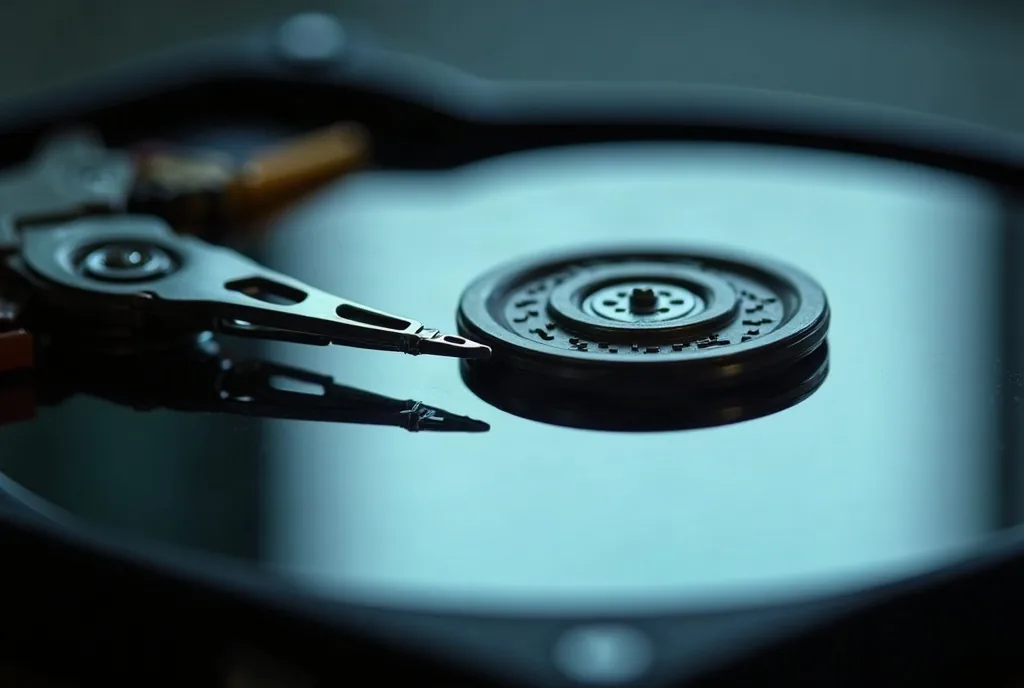
The rise of solid-state drives (SSDs) has fundamentally changed the recovery equation. Traditional hard disk drives (HDDs) use spinning magnetic platters, and deleted data stays on the platter until it is physically overwritten by new data. This makes HDD recovery relatively straightforward.
SSDs work differently. They use flash memory cells that must be erased before they can be rewritten, and they use a background process called TRIM to proactively clear cells that hold deleted files. When TRIM runs (which most modern operating systems trigger automatically), the SSD’s controller wipes the physical cells associated with deleted data to prepare them for future writes. This happens without any user action and often within minutes of deletion.
The result is that deleted files on an SSD with TRIM enabled are often unrecoverable almost immediately after deletion. Wear leveling, another SSD optimization that distributes writes evenly across cells to extend drive life, adds further unpredictability to where data is physically stored, making forensic recovery even more challenging.
For businesses, this has a dual implication. SSDs make accidental recovery harder, which reinforces the need for proper backups. But they also make secure disposal easier, since TRIM does much of the sanitization work automatically.
Secure Deletion Methods: When Files Must Truly Disappear
There are many situations where you need to ensure that deleted files cannot be recovered by anyone, whether you are disposing of old hardware, decommissioning a server, or meeting compliance requirements. Several methods exist, each with different levels of assurance.
- Software overwriting writes new data (usually random patterns or zeros) over every sector of the drive, replacing the original content. Tools like DBAN (Darik’s Boot and Nuke) and Eraser perform multiple overwrite passes. For HDDs, a single overwrite pass is generally sufficient to prevent recovery with any commercially available tools. Multiple passes provide additional assurance for highly sensitive data.
- Cryptographic erasure works by encrypting the entire drive and then destroying the encryption key. Without the key, the remaining data is computationally indistinguishable from random noise. This is fast, effective, and the preferred method for SSDs where traditional overwriting is unreliable due to wear leveling.
- Degaussing uses a powerful magnetic field to scramble the magnetic domains on an HDD platter, rendering the data unreadable. This is highly effective but physically destroys the drive. It does not work on SSDs because they do not use magnetic storage.
- Physical destruction is the most definitive method. Shredding, crushing, or incinerating drives guarantees that data cannot be recovered. Many businesses use certified destruction services that provide a chain-of-custody certificate for compliance documentation.
Business Implications: Compliance, HIPAA, and Disposal Policies
For businesses subject to regulations like HIPAA, PCI-DSS, or state privacy laws, the handling of deleted files is not just a technical matter. It is a compliance requirement. HIPAA requires that protected health information (PHI) be rendered “unreadable, indecipherable, and unable to be reconstructed” when devices are disposed of or repurposed. PCI-DSS has similar requirements for cardholder data. Simply deleting files or even formatting a drive does not meet these standards.
Every business should have a formal data disposal policy that specifies how storage devices are sanitized or destroyed when they leave service. This includes not just servers and desktops but also laptops, external drives, USB sticks, printers with internal storage, and copiers with hard drives. Without a documented policy and consistent execution, you are leaving sensitive data exposed on devices you no longer control.
What About Deleted Files in the Cloud?
Cloud deletion adds another layer of complexity. When you delete a file from OneDrive, Google Drive, SharePoint, or Dropbox, the file typically enters a retention period (often 30 to 93 days depending on the platform) during which it can be restored by the user or an administrator. Even after that retention period expires, the cloud provider may retain the data on their storage infrastructure for an additional period before it is actually purged.
Cloud platforms with versioning enabled may also retain previous versions of files even after the current version is deleted. This is useful for recovery but means that sensitive data may persist longer than expected. Understanding your cloud provider’s retention and deletion policies is essential for both data recovery planning and compliance.
Take Control of Your Data Lifecycle
Whether your concern is recovering deleted files after an accident or ensuring they are gone forever after decommissioning hardware, the key takeaway is the same: deletion is not as simple as it seems. A proactive approach that includes automated backups, documented disposal procedures, and appropriate sanitization tools protects your business on both sides of the equation.
Digital Checkmark helps small businesses in Tampa implement backup systems, recovery procedures, and secure disposal policies that keep your data protected throughout its entire lifecycle. Contact us today to make sure your business is covered.
Related Articles
- Can My Data Be Removed from the Dark Web?
- Safe Cloud Storage Guide
- Website Data Collection and Your Privacy